|
[20080818]
|
Bluetooth documentation update for Personal Area Networking
The daemon for handing bluetooth PAN that was
proposed last week
is imported in NetBSD-current now, and will be part of the
upcoming NetBSD 5.0 release. Ian Hibbert has also
updated the Bluetooth chapter in the NetBSD Guide
with examples of a PANU (Personal Area Networking User)
client. Ian will also continue to work on NAP (Network Access Protocol)
and/or GN (Group ad-hoc Network), but that's some work todo.
If anyone wants to help Ian out, feel free to contact him
- see
his posting
for more details on the basic setup.
[Tags: bluetooth, Docs, pan]
|
|
[20080613]
|
Printing NetBSD documentation (wholesome, and how to make your own)
I've had a discussion about
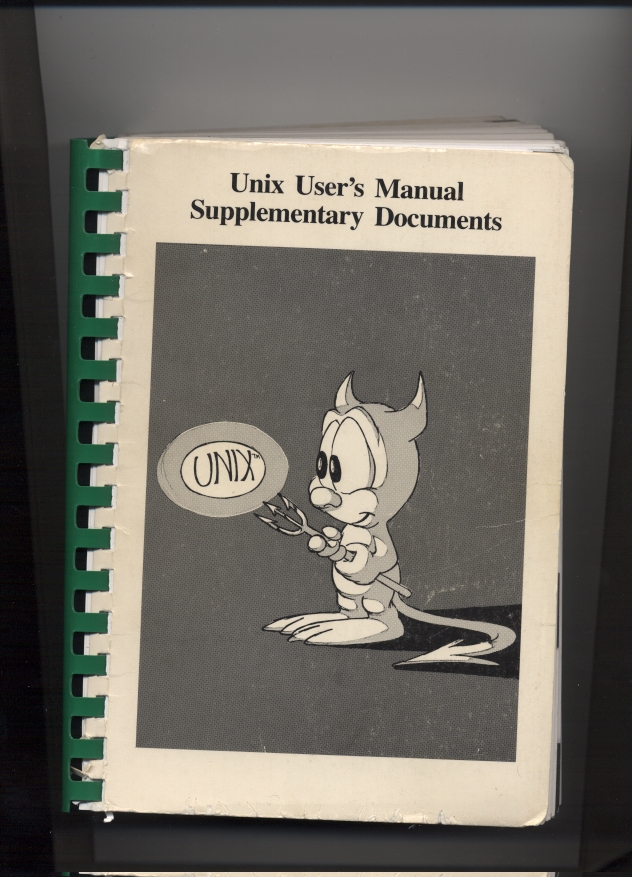
printed sets of Unix manuals
the other day. As a reminder, one can make those
for NetBSD easily:
- grab NetBSD-current sources
- cd src/share/man/man0
- make
The result is a bit more than 8000 pages!
FWIW, I've
uploaded the results for NetBSD-current as of 20080613.
Anyone in for printing and publishing this?
P.S.:
For those wondering how to get single pages formatted, here's a little excursion
in *roff, the formatting language that Unix manual pages
are written in. Take src/bin/ls/ls.1 as an example. To get
a formatted page in ASCII output, use:
nroff -man ls.1
For a printer-ready PostScript file, use:
groff -man -Tps ls.1 >ls.ps
NetBSD also has a macro-set to produce HTML output:
groff -man -Thtml ls.1 >ls.html
Enjoy!
[Tags: Docs, groff, html, manpages, nroff, pdf]
|
|
[20080610]
|
Yet another NetBSD/Xen guide
I've been slacking on this one, but here it is:
Michael Dexter has
posted about
his NetBSD Xen Guide.
It describes setup of NetBSD/Xen, including the required
packages and kernels, how to setup the GRUB bootloader,
and how to configure the privileged Dom0 as well as an unprivileged
domU.
Further topics coviered include how a domU can be given special
privileges, and a section for the adventuresome among us
tells how FreeBSD and OpenBSD can be setup as domUs.
[Tags: Docs, xen]
|
|
[20080302]
|
About localization (l10n), and translations
A question was asked about what's needed to add
localization for a new language in NetBSD, and
Takehiko Nozaki
answered,
giving hints at the various places in NetBSD's source
tree that are related to internationalization (i18n)
and localization (l10n), including
the libc message catalog and sysinst.
Maybe that's of interest for parties who want to help
out in translating those parts of the NetBSD operating
system.
BTW, while here: at www@, we receive regular inquiries about help
with translating NetBSD's website and the NetBSD Guide
into other languages. Unfortunately doing one-shot translations
is one thing, maintaining them is quite a different beast. Experiences
from the past have shown that those translations are usually not
maintained after an initial translation effort, and stay outdated.
As a consequence, the NetBSD project has decided that we will not
put efforts into maintaining translations in the future. People who
want to translate parts of NetBSD's website or any of the guides
(NetBSD Guide, pkgsrc guide) are welcome to do so when they are also
hosting them at their site. Please talk to www@NetBSD.org for linking
to those external translations then. Thanks!
[Tags: Docs, l10n]
|
|
[20080208]
|
Creating an unprivileged Solaris domain (DomU) with NetBSD/Xen as Dom0
NetBSD/Xen works fine for both NetBSD as guest domain (domU)
and as privileged domain (dom0). Those interested to run NetBSD
as dom0 and Solaris as domU may be happy about Tobias Nygren's
posting, which hints at his update to the
NetBSD/Xen HowTo,
which now also describes
creating an unprivileged Solaris domain (DomU).
[Tags: Docs, solaris, xen]
|
|
[20070914]
|
Composing characters in screen(1)
Here's another gem from the "learn something new every day"
that scrolled by on #NetBSD. Those of us who live in a non-7bit-ASCII
world occasionally need to type some funky characters like
Ä, ü, ß or some even more esoteric things that
are mostly composed of two parts. Did you know that you can compose
those inside screen(1)?
Here's how to get an "ä" (assuming standard screen key
bindings): ^A^V:a
^A^V will get you into "digraph" (character composing) mode,
and :a will get you the resides character.
[Tags: Docs, screen]
|
|
[20070605]
|
IPFilter + UPnP on NetBSD HOWTO
Jared McNeill writes me that
Xbox Live now requires a
UPnP-IGD
(Internet Gateway Device)
compliant router to function properly. Since the static ruleset s had
in ipnat.conf (based on details from a Microsoft Knowledgebase article) no
longer work, a UPnP-IGD solution is now required.
See
Jared's
documentation on how to setup UPnP-IGD with NetBSD and IPfilter.
[Tags: Docs, igd, ipfilter, upnp]
|
|
[20070413]
|
Installing *BSD on PX-EH40L (AKA "landisk")
Joel Carnat has written some detailed
instructions on how to get NetBSD/landisk going
on Plextor PX-EH40L, which is the European hardware for
NetBSD/landisk, i.e. a SH4-based machine.
[Tags: dmesg, Docs, landisk]
|
|
[20070405]
|
Setting up Linux/Xen with a NetBSD Dom0
Harold Gutch dropped me a note that he wrote some
documentation
on how to setup a Debian/Linux DomU with a NetBSD Dom0 setup.
[Tags: Docs, xen]
|
|
[20070203]
|
Embedded NetBSD HowTo: Porting NetBSD To A New ARM SoC
J. Sevy has
sent mail
about his efforts to port NetBSD to an
ARM926EJ-S based SoC, and
esp.
his experiences
that document this project.
The article starts easy with an overview
of poossible approaches, but then goes quickly into
details of the autoconfiguration system, kernel startup,
bus operations, interrupts and drivers
for the system clock and the serial chip.
He concludes with his
Observations and Comparison with Linux Porting Efforts:
``I've done a few Linux ports before, and the adaptation of NetBSD went at least as smoothly as any of the Linux efforts. In fact, I found NetBSD to have several advantages that made it substantially easier to port to a new platform than Linux, especially for a "newbie" like myself with no previous NetBSD porting experience.''
What else to say? (Nothing, right! :)
While at the topic of porting NetBSD and adding device drivers:
One thing that needs doing in that process is choosing major/minor
device numbers and sort them into tables for block/character
devices. The article mentions an interesting webpage that's
relevant here:
The Auto-Generation Block/Character Device Switch Tables by config(8)
by MAEKAWA Masahide. Yai!
[Tags: arm, Docs, embedded]
|
|
[20070108]
|
How to survive getting slashdotted^Wdigged
Amitai
describes
how it feels to get lots of web hits, what
symptoms can happen and what to tune to not
drive your system into the ground - even if it's "just"
a MacMini.
[Tags: Docs]
|
|
[20070108]
|
Howto: Solaris10 amd64 sparc64 gcc pkgsrc
One of the nicer attributes of pkgsrc is that is runs on
many operating system platforms, e.g. Sun's Solaris.
One of the annoying things there is that getting the right
compiler and have it working with pkgsrc can be challenging.
Gilles Dauphin has
posted
a
Howto for getting pkgsrc going on 64bit Solaris systems (amd64, sparc64).
[Tags: Docs, pkgsrc, solaris]
|
|
[20070104]
|
Have the daily security check not complain about a symlink for /etc/named.conf
After my router runs NetBSD for some time now, it complains every
night that my /etc/named.conf is a symlink instead of a file
via the /etc/daily script, quoting from the mail I get every day:
Checking special files and directories.
etc/named.conf:
type (file, link)
I've tried a few pointless attempts to make the system accept that
I actually want a symlink in the place (edit /etc/mtree/special,
put 'check_mtree_follow_symlinks=yes' into /etc/security.conf), but no go.
Asking, Manuel Bouyer
hinted at his solution for a similar problem
(running named in a chroot environment), and apparently the solution is
to put the following into /etc/mtree/special.local:
./etc/named.conf type=link
[Tags: Docs, Security]
|
|
[20061208]
|
Driver development hints
There is a
news item
about
OpenBSD driver development hints
over at the
OpenBSD Journal.
I guess much of this applies to NetBSD as well, and
it's nice to start with. More data is available
in the NetBSD Internals Guide,
Jochen Kunz's Writing Device Drivers
and of course
all section 9 manpages.
(If someone wants to include Jochen's text into the NetBSD Internals
Guide, that'd be great... just like any other work in that area.
Any takers? Send your patches to netbsd-docs@, feel free to CC:
me!)
[Tags: Docs, kernel, openbsd]
|
|
[20061206]
|
How to build a livecd
Every now and then the question of how to build a NetBSD
Live CD arises, and Adrien Auzanneau has put some thoughts
online
in the NetBSD Wiki.
Maybe it's useful to people who don't think that
pkgsrc/sysutils/mklivecd is the final answer to this question.
[Tags: Docs, live-cd]
|
|
[20060923]
|
Articles: Testing and measuring the TAMS 3011, Part 1-6
I've completely missed this
article series
by Peter Seebach over at IBM's developerWorks
until I saw a reference
in the #NetBSD blog.
The series describes the
PowerPC based TAMS 3011 architecture, some of the operating
system alternatives and then goes into porting NetBSD to it:
[Tags: Articles, Docs, Hardware, powerpc]
|
|
[20060906]
|
Guide update: sendmail -> Postfix
Rui Paulo has updated
the NetBSD Guide's Mail chapter
to describe postfix instead of sendmail, to match
the recent changes in NetBSD.
See
Rui's mail,
and make sure you mail him any comments and updates you have!
[Tags: Docs]
|
|
[20060906]
|
Presentations: Easy Software Installation with pkgsrc
Last year, D'Arcy J. M. Cain went to
an event (...)
to give a
presentation about pkgsrc, and we worked together to re-use
a presentation on the same topic I gave before.
Only now I've managed to put the presentation online:
click here for the PDF!
The slides are made with LaTeX and the prosper package.
If someone wants to give a similar presentation about pkgsrc somewhere,
feel free to get in touch with me. E.g. for showing off
pkgsrc at the
OpenSolaris Developer Conference 2007 in Berlin.
[Tags: Docs, pkgsrc, presentations]
|
|
[20060901]
|
Docs: Syscall and syscall versioning documentation
Pavel Cahyna has worked on documenting for
syscalls and syscall versioning,
for inclusion into
the NetBSD Internals guide, see
his mail to netbsd-docs.
Send your comments to Pavel!
[Tags: Docs]
|
|
[20060831]
|
Book: The OpenBSD PF Packet Filter Book
Subtitled ``PF for NetBSD, FreeBSD, DragonFly, and OpenBSD'',
this book by NetBSD co-developer Jeremy Reed should be useful for
everyone to setup firewalling with PF:
``Stateful packet filtering, Network Address Translation (NAT), port forwarding, passive operating system fingerprinting, packet queueing and Quality of Service, load balancing, and redundant firewalls are available with OpenBSD's PF system. PF is known to be a proven, high-performance, and innovative packet filtering system. The PF sub-systems and related interfaces have been ported to the NetBSD, FreeBSD and DragonFly operating systems. This book introduces the common features and capabilities of PF and its related tools with many examples and steps for configuring and using PF on these operating systems. The book includes ample cross-referencing and a detailed index for easy research and reading.''
Check out
the book's website
for more information.
[Tags: books, Docs]
|
|
[20060829]
|
Online: The Design and Implementation of the 4.4BSD Operating System (Updated)
I didn't know this was online:
The Design and Implementation of the 4.4BSD Operating System...
Update: I should have done more research,
apparently it's only one chapter that's online.
As a reparation, here's really a full version of
another book that you may consider worthwhile to
have a look at:
Ross Anderson: Security Engineering,
found via
Fefe's blog
(well, actually
Stefan pointed it at me before I
could have my daily dose ;).
[Tags: books, Docs]
|
|
[20060823]
|
CryptoGraphicFile (CGF), or how to keep sensitive data on your laptop (Updated)
OK, a friend of mine
blogged the other day
about setting up encrypted disk on FreeBSD, which reminded me of this
thing I'm using on my laptop to carry sensitive things like SSH keys,
my address database etc. which I've come up with I went to the USA for
a few months last year.
After reading
the CGD chapter of the NetBSD Guide
I had a rough idea on how to do the whole thing on a disk partition, but I
wanted to keep everything in a file so I would not have to re-partition my
laptop.
Ignoring the Guide's warning that cgd(4) on vnd(4) doesn't work
(and proving it wrong, for me :-), I've used vnd(4) happily since for
the task.
Below, I'll outline the tasks for
- setting up my "CryptoGraphicFile" (CGF) using cgd-in-vnd,
- what to do to use the data
- what to do to stash things away again
1) Setting up my CryptoGraphicFile (CGF)
- Decide on a place for the actual data and the amount of
data you want to protect. "du -sm ~/.ssh ~/.gnupg"
tells me that 10MB is plenty, and I'll use these values here.
# base=$HOME/S
# size=10
Also, the (decrypted) data will be mounted on /secure.
- The first step of creating a $size MB big file
and making it accessible as vnd(4) device is pretty easy:
# dd if=/dev/zero of=$base bs=1m count=$size
10+0 records in
10+0 records out
10485760 bytes transferred in 0.479 secs (21890939 bytes/sec)
# chmod go-rwx $base
# vnconfig vnd0 $base
#
- Next we create a parameter file for cgd(4). We use AES encryption
with 256 bit:
# cgdconfig -g -V disklabel -o $base.cgd aes-cbc 256
If this step fails with
cgdconfig: could not calibrate pkcs5_pbkdf2
cgdconfig: Failed to generate defaults for keygen
make sure that you have enough bits of entropy
available for /dev/random. Just open up an xterm and run something like
"ls -lR /" in it.
- Next, the disk can be configured and newfs'd. This is the step
where the password for the CGF is set, and you'd better not forget
this:
# cgdconfig -V re-enter cgd0 /dev/vnd0a $base.cgd
/dev/vnd0a's passphrase:
re-enter device's passphrase:
# newfs /dev/cgd0a
/dev/cgd0a: 10.0MB (20480 sectors) block size 4096, fragment size 512
using 4 cylinder groups of 2.50MB, 640 blks, 1184 inodes.
super-block backups (for fsck_ffs -b #) at:
32, 5152, 10272, 15392,
- Now the CGF can be mounted:
# mount /dev/cgd0a /secure
# df -h /secure
Filesystem Size Used Avail Capacity Mounted on
/dev/cgd0a 9.4M 512B 8.9M 0% /secure
# ls /secure
#
- Of course there's nothing on the newly created CGF. Let's
undo things for the first-time configuration to finish our
first step:
# umount /secure
# cgdconfig -u cgd0
# vnconfig -u vnd0
If you get a "Filesystem busy" in the first step,
remember to "cd /". :)
We have created a filesystem inside a disk-file in $HOME/S in this
step. The file is protected by a password which needs to be entered
when used. Security of the data in that filesystem depends on this
password alone, e.g. if this is on your laptop and the laptop's
stolen, so make sure you use something non-trivial!
2) Using the encrypted data
After we have created a secure filesystem inside a file in $HOME/S now,
we can configure it for using with the following steps:
# base=$HOME/S
# vnconfig vnd0 $base
# cgdconfig -V none cgd0 /dev/vnd0a $base.cgd
# fsck -p /dev/cgd0a
# mount /dev/cgd0a /secure
#
The cgdconfig-command above will ask for the password. Be sure
to enter the same one that you gave it during the steps above!
After these steps, /secure is accessible again, and will be so
until you shutdown the system or unconfigure it as shown below.
Before repeating how to unconfigure the CGF, the disk should
probably be populated with a few precious files. To still make
the files accessible in a transparent way (when /secure is
mounted!), symlinks can be used. E.g the following will put
an especially precious SSH key onto this secure file:
# mv ~feyrer/.ssh/important_key /secure
# ln -s /secure/important_key ~feyrer/.ssh
With appropriate SSH configuration, I will be able
to use that key only when /secure is mounted. If
it's not: bad luck. (Of course this whole example
is somewhat artificial as you could just trust your
key to a proper passphrase as well, but well :).
Other examples I've used this with is are PGP keys,
my private addres database, calendar and some other
files I prefer to have near me when traveling.
3) What to do to stash things away again
To make things safe again, either shutdown the system, or run these steps:
# umount /secure
# cgdconfig -u cgd0
# vnconfig -u vnd0
Of course the steps to configure/unconfigure the CGF
can be put into shell scripts (which I've done; I should
probably make a package out of this...) for easy automation.
One such place where the above commands can be very handy
is when suspending a laptop via APM: Place them into
/etc/apm/suspend, and you won't have to worry
about your files when your laptop is in suspended state.
When you need your secured files again, a script with the
commands noted under 2) can be run.
I'm using this setup on my laptop, and I'm quite happy with
things that way. Maybe you will be, too!
Update:
Curt Sampson wrote me about a nice way to lock the machine
in case someon un-suspends it: simply run xlock *on suspend*.
When X is started in a way that it won't get back to the shell
upon ctrl-alt-backspace, this won't allow access to any file
in case the machine gets stolen.
One other precaution that could be taken is to use encrypted
swap, to prevent sensitive data getting into swap, and a
mallicious hacker getting it from there after taking
the disk out of the machine. A good hint, from someone (name
forgotten) on #NetBSD.
[Tags: cgd, cgf, Docs, Security]
|
|
[20060729]
|
HowTo: Bluetooth on NetBSD
There was quite some work on getting Bluetooth support
into NetBSD, and Iain Hibbert, who did most of the work
on Bluetooth also wrote a HowTo for getting started with
Bluetooth on NetBSD.
Check it out!
(Volunteers to integrate this into the NetBSD Guide please
inquire on docs@NetBSD.org).
[Tags: bluetooth, Docs]
|
|
[20060718]
|
No news, but old wisdoms
Spinning idle in the summer hole, I've came across
Jan Schauman's Tip of the Day page,
which contains a lot of useful ... tips.
They're not strictly NetBSD-only, but contain a lot of wisdom.
I love the one about why it's called /rescue!
[Tags: Docs]
|
|
[20060628]
|
Wanted: Update for sendmail->postfix for the NetBSD Guide
The NetBSD Guide currently contains documentation on how
to setup a home user's site with sendmail. Now after sendmail
is gone for future releases, it would be nice if someone
could update the documentation on how to use postfix
as an alternative to sendmail (or maybe even just add data on
how to get back sendmail from pkgsrc ;).
See
the guide's section on mail and news
for what needs to be updated, and
appendixes
B. Contributing to the NetBSD guide
and
C. Getting started with XML/DocBook
for docs on how to get started with hacking the NetBSD Guide.
If you have something for review, I recommend posting to
the netbsd-docs@ list, final patches should go to www@.
TIA!
P.S.: General updates for the next major major release, NetBSD 4.0
(based on today's NetBSD-current) will be appreciated just as well!
[Tags: Docs, todo]
|
|
[20060602]
|
NetBSD on SunPCi-II HOWTO
Back then, Sun used to sell "PC on a card" boards for their
SPARC machines, so people don't have to buy an extra PC to do their
daily work. Emmanuel Kasper has documented
how to get NetBSD going on such a SunPCi-II card. Yow! :-)
[Tags: Docs, sunpci]
|
|
[20060516]
|
pkgsrcCon 2006 slides available
pkgsrcCon 2006 is over, and for those who had to stay at home,
the presentation slides are available now:
[Tags: Docs, Events, pkgsrc]
|
|
[20060511]
|
Debugging Kernel Problems
For those that can't go to BSDCan 2006, Greg Lemis' presentation
about "Debugging Kernel Problems" is available online early, and
it talks about userland programs like ps, systat vmstat and gdb,
reading code(!), preparing to debug a kernel and debugging a
crash dump, how to trace the cause of panics in the source ("Why
did that vnode related panic happen?"), spontaneous traps,
plus includes a selection of manpages for offline/print reference.
The tutorial's focus is on FreeBSD, but there are many comments
and examples that show NetBSD and OpenBSD to make this a worthwhile
ressource for people new to the topic.
PDFs are available for
the tutorial
(mirror,
original)
and the presentation slides
(mirror,
original)
This was noticed by Julian Suschlik
on netbsd-advocacy@,
and Julian also points at a chance to
add NetBSD-related papers to the onetbsd Wiki.
[Tags: Docs, kernel]
|
|
[20060509]
|
Using WPA
Someone asked about how to use WPA, and before searching the
docs and mailing lists again,
this link
may come in handy next time.
[Tags: Docs, networking, wpa]
|
|
[20060403]
|
Stack Smashing Protector (propolice) for NetBSD
I've stubled across this article on
Stack Smashing Protector (propolice) for NetBSD
via a
question on netbsd-users@.
"SSP is a GCC C and C++ extension for protecting applications from stack-smashing attacks, and common buffer overflows."
[Tags: Docs, Security, ssp]
|
|
[20060323]
|
Getting filesystem parameters
OK, this is one from the "learn something new every day"-department
that I'd like to share with you: How do you find out about the read/write
size negotiated in NFS mounts and other filesystem parameters?
Matt Green hinted at "mount -vv" as an answer.
Looking at "normal" mount(8) output is pretty familiar, e.g.
on my Sun SPARCstation 5 that has two local partitions and an
NFS mount from another machine:
smaug# mount
/dev/sd0a on / type ffs (local)
/dev/sd0e on /usr type ffs (local)
procfs on /proc type procfs (read-only, local)
kernfs on /kern type kernfs (read-only, local)
server.ipv6.fh-regensburg.de:/disk5 on /disk5 type nfs
Two local filesystems on the first SCSI disk, procfs and kernfs,
and a NFS mount from a remote NFS server - I do NFS over IPv6, works
flawless since ever. Now to get a bit more information using "-v"
(long lines continued with \ at the end):
smaug# mount -v
/dev/sd0a on / type ffs (local, root file system, fsid: 0x700/0x78b, \
reads: sync 475428 async 32, writes: sync 79953 async 7238)
/dev/sd0e on /usr type ffs (local, fsid: 0x704/0x78b, reads: sync \
711144 async 65, writes: sync 2 async 24)
procfs on /proc type procfs (read-only, local, fsid: 0x1b01/0x1ae1b, \
reads: sync 0 async 0, writes: sync 0 async 0)
kernfs on /kern type kernfs (read-only, local, fsid: 0x8b01/0x1d28b, \
reads: sync 0 async 0, writes: sync 0 async 0)
server.ipv6.fh-regensburg.de:/disk5 on /disk5 type nfs (fsid: 0xb01/0x70b, \
reads: sync 0 async 0, writes: sync 0 async 0)
This gives some insight on the filesystem IDs (not too thrilling), and
also the number of reads and writes done on the filesystem, both
for synchronous as well as for asynchronous operations. NFS operations
are not printed, nfsstat(1) is probably more useful there.
But there is more information, if you use "-v" twice
(long lines continued with \ again):
smaug# mount -vv
mount_ffs: /dev/sd0a on /: specified device does not match mounted device
/dev/sd0a on / type ffs (local, root file system, fsid: 0x700/0x78b, reads: \
sync 475441 async 32, writes: sync 79953 async 7240)
/dev/sd0e on /usr type ffs (local, fsid: 0x704/0x78b, reads: sync 711205 \
async 65, writes: sync 2 async 24)
procfs on /proc type procfs (read-only, local, fsid: 0x1b01/0x1ae1b, reads: \
sync 0 async 0, writes: sync 0 async 0, [procfs: version=1, \
flags=0x0])
kernfs on /kern type kernfs (read-only, local, fsid: 0x8b01/0x1d28b, reads: \
sync 0 async 0, writes: sync 0 async 0)
server.ipv6.fh-regensburg.de:/disk5 on /disk5 type nfs (fsid: 0xb01/0x70b, \
reads: sync 0 async 0, writes: sync 0 async 0, [nfs: \
addr=2001:638:a01:5:125:2aff:fe82:cade, port=2049, addrlen=28, \
sotype=2, proto=0, fhsize=0, flags=0x8281, \
wsize=8192, rsize=8192, readdirsize=8192, timeo=300, retrans=10, \
maxgrouplist=16, readahead=2, leaseterm=30, deadthresh=9])
Giving "-v" twice prints filesystem-specific data, in the above example for
procfs's version, and all the parameters used in the NFS mount,
among them the block sizes used for reading and writing blocks,
rsize and wsize.
Enjoy!
[Tags: Docs, hubertf]
|
|
[20060308]
|
Article: Datensicherung - Strategien und Techniken für NetBSD
Stefan Schumacher gave a
presentation
about strategies and techniques for backup, (titled
"Datensicherung - Strategien und Techniken für NetBSD"
in German language) at the Chemnitz Linuxdays.
A
paper (PDF)
and the
presentation slides
are available.
[Tags: Articles, backup, Docs]
|
|
[20060307]
|
NetBSD on the Network Storage Link for USB 2.0 (NSLU2, AKA "slug") Disk Drives
In his "NetBSD for the Linksys NSLU2 (a.k.a. "Slug")"
README, Steve Woodford writes:
``The NSLU2 (Network Storage Link for USB 2.0 Disk Drives) is a small, cheap
NAS device consisting of an Intel IXP420 (Xscale) CPU, a 10/100mbit Ethernet
port, and two USB 2.0 ports. It has 32MB of SDRAM and 8MB of Flash memory,
and runs RedBoot/Linux out of the box.''
Given that the
NSLU2 devices are
available
fairly cheap at around $80US,
the sound like a sexy addition to the local network.
Now adding a second network device, e.g. via USB, would make it a
sexy alternative for a DSL router.
[Tags: Docs, embedded, nslu2]
|
|
[20060223]
|
Asterisk NetBSD
Looking at the state of Asterisk in NetBSD, I stumbled across the
Asterisk NetBSD
page, which gives a quick rundown of how to use Asterisk on/with
NetBSD.
[Tags: asterisk, Docs, voip]
|
|
[20060222]
|
NetBSD iSCSI HOWTOs
Alistair Crooks is working on an iSCSI target ("server") implementation.
The initiator ("client") code is still under development, but so far you
can e.g. use the Microsoft iSCSI initiator to use your NetBSD machine's
disks from a Windows machine, and access them like a SCSI disk!
Al has
prepared and posted
HOWTOs that help setting up things in a few easy steps.
The HOWTOs are available directly in
ASCII
and
PDF
[Tags: Docs, iscsi]
|
|
[20060222]
|
Guide: pkgsrc on Solaris
'segv'
informs us that
he has written a guide on how to use pkgsrc on OpenSolaris:
``It tells you how to set up the necessary pkgsrc infrastructure and provides
a
link to a set of my scripts and mk.conf files, which make it very easy to
deploy pkgsrc on Solaris. In particular:
- How to build packages inside a chroot jail
- How to bootstrap GCC from pkgsrc
- How to use SunPro and GCC compilers with pkgsrc
- How to make the most of SMP hardware to speed up package builds
The guide is located here:
http://www.netctl.net/pkgsrc_solaris.html
''
[Tags: Docs, pkgsrc, solaris]
|
|
[20060208]
|
A bunch of german language docs at the BSDforen.de wiki
Those looking for (mostly german language) documentataion on the
following topics are advised to have a look at
the NetBSD section of the BSDforen.de wiki:
- DHCP-Server einrichten
- DSL konfigurieren
- Kernel erstellen
- iBook installieren (englisch)
- System updaten
- Transparenter squid
- Transparentes mutt
- veriexec
- NetBSD Tilde (~)
- pkgsrc-Pakete in einer chrooted sandbox kompilieren
- using the cryptographic filesystem on NetBSD (englisch)
- NetBSD und XEN 2.0
- NetBSD-stable mit Sets oder Quellen updaten
[Tags: bsdforen, Docs, wiki]
|
|
[20060127]
|
File systems documentation
Julio M. Merino Vidal
reminds us that
``one of the goals of the tmpfs Summer of Code project was to wr
ite
documentation about NetBSD's VFS subsystem''.
A first draft of his work is now
available, feel free to give him any feedback!
[Tags: Docs, filesystem, google-soc]
|
|
[20051213]
|
Cutting down on IPv6 deployment costs: IPv6 deployment guide
Today on slashdot, there was a report that
IPv6 Transition to Cost US $75 Billion, mostly
linking to an internetnews.com article.
Leaving out any of the details on this, choosing a platform
and software that can save costs is easy. Instead of buying
expensive hardware (and software),
use
freely available software!
As a general overview on how to approach and deploy IPv6,
Pietr Meyer has send me this nice link to an
IPv6 Deployment Guide
(PDF!) which specifically mentions NetBSD (and of course others!)
when it comes to various details. Very much recommended!
[Tags: Docs, ipv6]
|
|
[20051208]
|
Asterisk with SIPDiscount HOWTO
Asterisk is one of the leading software packages for internet telephony
and Voice over IP (VoIP).
Jared D. McNeill has noted the lack of decent Asterisk
documentation in NetBSD, and decided to document his adventures in
configuring it in NetBSD. The result is his
Asterisk with SIPDiscount HOWTO.
[Tags: Docs, voip]
|
|
|
Tags: ,
2bsd,
3com,
501c3,
64bit,
acl,
acls,
acm,
acorn,
acpi,
acpitz,
adobe,
Advocacy,
advocacy,
advogato,
aes,
afs,
aiglx,
aio,
airport,
alereon,
alex,
alix,
alpha,
altq,
am64t,
amazon,
amd64,
anatomy,
ansible,
apache,
apm,
apple,
arkeia,
arla,
arm,
art,
Article,
Articles,
ascii,
asiabsdcon,
asterisk,
asus,
atf,
ath,
atheros,
atmel,
audio,
audiocodes,
autoconf,
avocent,
avr32,
aws,
axigen,
backup,
banners,
basename,
bash,
bc,
benchmark,
bigip,
bind,
blackmouse,
bldgblog,
blog,
blogs,
blosxom,
bluetooth,
bonjour,
books,
boot,
boot-z,
bootprops,
bozohttpd,
bs2000,
bsd,
bsdca,
bsdcan,
bsdcertification,
bsdcg,
bsdforen,
bsdfreak,
bsdmac,
bsdmagazine,
bsdnexus,
bsdstats,
bsdtalk,
bsdtracker,
bug,
build.sh,
busybox,
buttons,
bzip,
c-jump,
c99,
cafepress,
callweaver,
camera,
candy,
capabilities,
card,
carp,
cars,
cauldron,
ccc,
ccd,
cd,
cddl,
cdrom,
cdrtools,
cebit,
centrino,
cephes,
cert,
certification,
cfs,
cgd,
cgf,
checkpointing,
china,
cisco,
cloud,
clt,
cobalt,
coccinelle,
codian,
colossus,
common-criteria,
community,
compat,
compiz,
compsci,
concept04,
config,
console,
contest,
copyright,
core,
cortina,
coverity,
cpu,
cradlepoint,
cray,
crosscompile,
crunchgen,
cryptography,
csh,
cu,
cuneiform,
curses,
curtain,
cuwin,
cvs,
cvs-digest,
cvsup,
cygwin,
daemon,
daemonforums,
danger,
darwin,
data,
date,
dd,
debian,
debugging,
dell,
desktop,
devd,
devfs,
devotionalia,
df,
dfd_keeper,
dhcp,
dhcpcd,
dhcpd,
dhs,
diezeit,
digest,
digests,
dilbert,
dirhash,
disklabel,
distcc,
dmesg,
Docs,
donations,
draco,
dracopkg,
dragonflybsd,
dreamcast,
dri,
driver,
drivers,
drm,
dsl,
dst,
dtrace,
dvb,
ec2,
eclipse,
eeepc,
eeepca,
ehci,
ehsm,
eifel,
elf,
em64t,
Embedded,
embedded,
emips,
emulate,
encoding,
envsys,
eol,
espresso,
etcupdate,
etherip,
euca2ools,
eucalyptus,
eurobsdcon,
eurosys,
Events,
exascale,
ext3,
f5,
facebook,
falken,
fan,
fatbinary,
features,
fefe,
ffs,
filesystem,
fileysstem,
firefox,
firewire,
fireworks,
flag,
flash,
flashsucks,
flickr,
flyer,
fmslabs,
force10,
fortunes,
fosdem,
fpga,
freebsd,
freedarwin,
freescale,
freex,
freshbsd,
friendlyAam,
friendlyarm,
fritzbox,
froscamp,
fsck,
fss,
fstat,
ftp,
ftpd,
fujitsu,
fun,
fundraising,
funds,
funny,
fuse,
fusion,
g4u,
g5,
galaxy,
games,
gcc,
gdb,
gentoo,
geode,
getty,
gimstix,
git,
gnome,
google,
google-soc,
gpio,
gpl,
gprs,
gracetech,
gre,
groff,
groupwise,
growfs,
grub,
gumstix,
guug,
gzip,
hackathon,
hackbench,
hal,
hanoi,
happabsd,
Hardware,
haze,
hdaudio,
heat,
heimdal,
hf6to4,
hfblog,
hfs,
history,
hosting,
hp,
hp700,
hpcarm,
hpcsh,
hpux,
html,
httpd,
hubertf,
hurd,
i18n,
i386,
i386pkg,
ia64,
ian,
ibm,
ids,
ieee,
ifwatchd,
igd,
iij,
image,
images,
information,
init,
initrd,
install,
intel,
interix,
internet2,
io,
ioccc,
iostat,
ipbt,
ipfilter,
ipmi,
ipsec,
ipv6,
irbsd,
irc,
irix,
iscsi,
isdn,
iso,
isp,
itojun,
jail,
jails,
java,
javascript,
jibbed,
jihbed,
jobs,
jokes,
journaling,
kame,
kauth,
kde,
kerberos,
kergis,
kernel,
keyboardcolemak,
kitt,
kmod,
kolab,
kylin,
l10n,
landisk,
laptop,
laptops,
law,
ld.so,
ldap,
lehmanns,
lenovo,
lfs,
libc,
license,
licensing,
links,
linksys,
linux,
linuxtag,
live-cd,
lkm,
localtime,
locate.updatedb,
logfile,
logging,
logo,
logos,
lom,
lte,
lvm,
m68k,
macmini,
macppc,
macromedia,
magicmouse,
mahesha,
mail,
makefs,
malo,
mame,
manpages,
marvell,
matlab,
maus,
mbr95,
mbuf,
mca,
mdns,
mediant,
mediapack,
meetbsd,
mercurial,
mesh,
meshcube,
mfs,
mhonarc,
microkernel,
microsoft,
midi,
mini2440,
miniroot,
minix,
mips,
mirbsd,
missile,
mit,
mobile-ip,
modula3,
modules,
mouse,
mp3,
mpls,
mtftp,
mult,
multics,
multilib,
multimedia,
music,
mysql,
named,
nas,
nat,
ncode,
ndis,
nec,
nemo,
neo1973,
netbook,
netboot,
netbsd,
netbsd.se,
nethack,
nethence,
netksb,
netstat,
networking,
neutrino,
nforce,
nfs,
nis,
npf,
npwr,
nroff,
nslu2,
nspluginwrapper,
ntfs-3f,
nullfs,
numa,
nvi,
nvidia,
nycbsdcon,
office,
ofppc,
ohloh,
olimex,
olpc,
onetbsd,
openat,
openbgpd,
openblocks,
openbsd,
opencrypto,
opengrok,
openmoko,
openoffice,
openpam,
opensolaris,
openssl,
oracle,
oreilly,
oscon,
osf1,
osjb,
packages,
pad,
pae,
pam,
pan,
panasonic,
parallels,
pascal,
patch,
patents,
pax,
paypal,
pc532,
pc98,
pcc,
pci,
pdf,
pegasos,
penguin,
performance,
pexpect,
pf,
pfsync,
pgx32,
php,
pike,
pinderkent,
pkg_install,
pkg_select,
pkgin,
pkglint,
pkgmanager,
pkgsrc,
pkgsrc.se,
pkgsrcCon,
pkgsrccon,
plathome,
pocketsan,
podcast,
pofacs,
politics,
polls,
polybsd,
portability,
posix,
postinstall,
power3,
powernow,
powerpc,
powerpf,
pppoe,
precedence,
preemption,
prep,
presentations,
prezi,
Products,
products,
proplib,
protectdrive,
proxy,
ps,
ps3,
psp,
pthread,
ptp,
ptyfs,
Publications,
puffs,
pxe,
qemu,
qnx,
qos,
qt,
quality-management,
quine,
quote,
quotes,
r-project,
radio,
radiotap,
raid,
raidframe,
rants,
raptor,
raq,
raspberrypi,
rc.d,
readahead,
realtime,
record,
refuse,
reiserfs,
Release,
releases,
releng,
reports,
resize,
restore,
ricoh,
rijndael,
rip,
riscos,
rng,
roadmap,
robopkg,
robot,
robots,
roff,
rootserver,
rotfl,
rox,
rs6k,
rss,
ruby,
rump,
rzip,
sa,
safenet,
san,
savin,
sbsd,
scampi,
scheduling,
sco,
screen,
script,
sdf,
sdtemp,
secmodel,
Security,
security,
sed,
segvguard,
seil,
sendmail,
sfu,
sge,
sgi,
sgimips,
sh,
sha2,
shark,
sharp,
shisa,
shutdown,
sidekick,
size,
slackware,
slashdot,
slit,
smbus,
smp,
sockstat,
soekris,
softdep,
software,
solaris,
sony,
source,
source-changes,
spanish,
sparc,
sparc64,
spider,
spreadshirt,
squid,
ssh,
sshfs,
ssp,
stereostream,
stickers,
studybsd,
subfile,
sudbury,
sudo,
summit,
sun,
sun2,
sun3,
sunfire,
sunpci,
support,
sus,
suse,
sushi,
susv3,
svn,
swcrypto,
symlinks,
sysbench,
sysinst,
sysjail,
syslog,
syspkg,
systat,
systrace,
sysupdate,
t-shirt,
tabs,
tanenbaum,
tape,
tcp,
tcp/ip,
tcpdrop,
tcpmux,
tcsh,
teamasa,
teredo,
termcap,
terminfo,
testdrive,
testing,
tetris,
tex,
TeXlive,
thecus,
theopengroup,
thin-client,
thinkgeek,
thorpej,
threads,
time,
time_t,
timecounters,
tip,
tme,
tmp,
tmpfs,
tnf,
toaster,
todo,
toolchain,
top,
torvalds,
toshiba,
touchpanel,
training,
tso,
ttyrec,
tulip,
tun,
tuning,
uboot,
udf,
ufs,
ukfs,
ums,
unetbootin,
unicos,
unix,
updating,
upnp,
uptime,
usb,
usenix,
useradd,
userconf,
userfriendly,
usermode,
usl,
utc,
utf8,
uucp,
uvc,
uvm,
valgrind,
vax,
vcfe,
vcr,
veriexec,
vesa,
video,
videos,
virtex,
vm,
vmware,
vnd,
vobb,
voip,
voltalinux,
vpn,
vpnc,
vulab,
w-zero3,
wallpaper,
wapbl,
wargames,
wasabi,
webcam,
webfwlog,
wedges,
wgt624v3,
wiki,
willcom,
wimax,
window,
windows,
winmodem,
wireless,
wizd,
wlan,
wordle,
wpa,
wscons,
wstablet,
x.org,
x11,
x2apic,
xbox,
xcast,
xen,
xfree,
xfs,
xgalaxy,
xilinx,
xkcd,
xlockmore,
xmms,
xmp,
xorg,
xscale,
youos,
youtube,
zaurus,
zdump,
zfs,
zlib
'nuff.
Grab the RSS-feed,
index,
or go back to my regular NetBSD page
Disclaimer: All opinion expressed here is purely my own.
No responsibility is taken for anything.